
Consumer Quick Start
This path is for someone installing the published Windows build and testing the bundled Rusty XR Quest camera composite-layer example.
Install
Download and run the setup helper:
Download RustyXrCompanion-Setup.exe
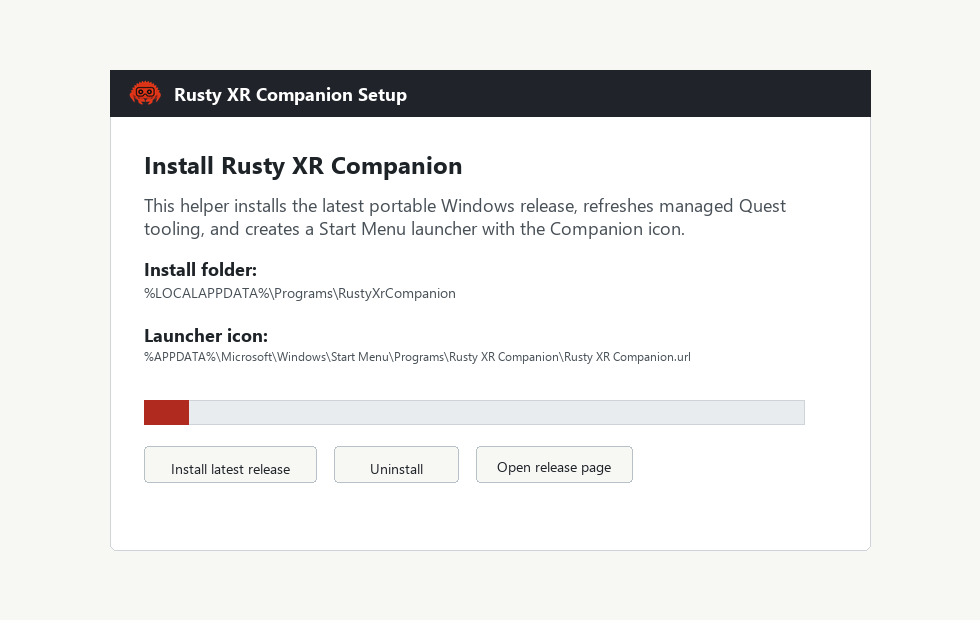
The setup helper shows the install folder and Start Menu launcher location before it changes anything:
- install folder:
%LOCALAPPDATA%\Programs\RustyXrCompanion - launcher icon:
%APPDATA%\Microsoft\Windows\Start Menu\Programs\Rusty XR Companion\Rusty XR Companion.lnk
First Launch
Open Rusty XR Companion from the Start Menu. The app checks for release updates on startup, then loads the bundled Rusty XR composite-layer catalog if the bundled APK is present.
Use the left column first:
- Install / Update Managed Tooling installs
adb, Meta VR CLI /hzdb
compatibility tooling, and scrcpy into the app-managed LocalAppData cache.
- Install / Update Media Runtime installs the optional FFmpeg media
runtime used for saved H.264 preview decode. The app zip does not bundle FFmpeg; this action downloads a verified upstream LGPL shared build into the app-managed LocalAppData cache.
- Refresh Devices reads the connected Quest list.
- Enable Wi-Fi ADB From USB is optional; use it only after USB debugging is trusted.
Install And Launch The Example
The Catalog Verify tab is the quickest path for the bundled example.
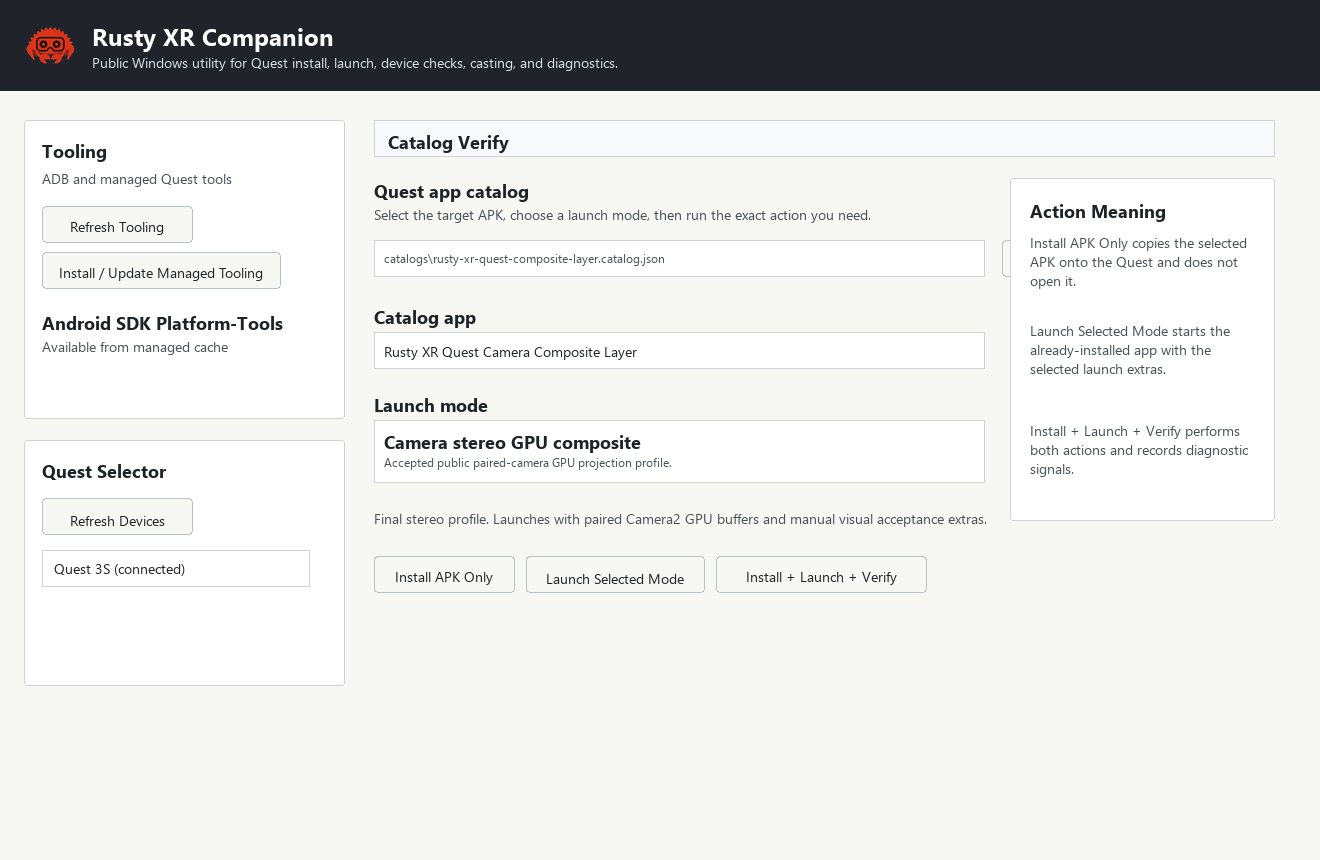
Use the controls in this order:
- Select Rusty XR Quest Camera Composite Layer in Catalog app.
- Select a Launch mode. Each mode is the same APK with different launch extras.
- Use Install APK Only to copy the APK onto the Quest without opening it.
- Use Launch Selected Mode to launch an already-installed APK with the selected mode.
- Use Install + Launch + Verify when you want the full diagnostic pass. It installs, applies the device profile, launches the selected mode, waits, and records process, foreground,
gfxinfo, and memory signals.
Launch Modes
- Synthetic layer smoke test starts the OpenXR renderer without camera or screen capture.
- Camera source diagnostics enumerates the public Camera2 sources and writes diagnostics for verification bundles.
- Camera diagnostic CPU copy uses a throttled CPU camera-copy path for route and renderer isolation.
- Camera GPU buffer probe checks Camera2
PRIVATEbuffer availability without claiming final stereo alignment. - Camera stereo GPU composite is the accepted public paired-camera GPU projection profile.
- Camera stereo GPU composite, fast projection scale 0.75 keeps the same
direct Camera2 stereo source and selects the fast public raw-projection renderer for performance parity checks.
- Camera stereo GPU composite, quad-surface mode is a comparison mode for projection geometry and tone checks.
- MediaProjection stream asks for headset screen-sharing consent and streams the final display-composite back to the Windows receiver.