PolarH10.App is the operator-facing desktop monitor in this repo. This page
shows the current shell, telemetry surfaces, and diagnostics layout used in the
reference app preview, including the tracked-device control for parallel
multi-strap telemetry review.
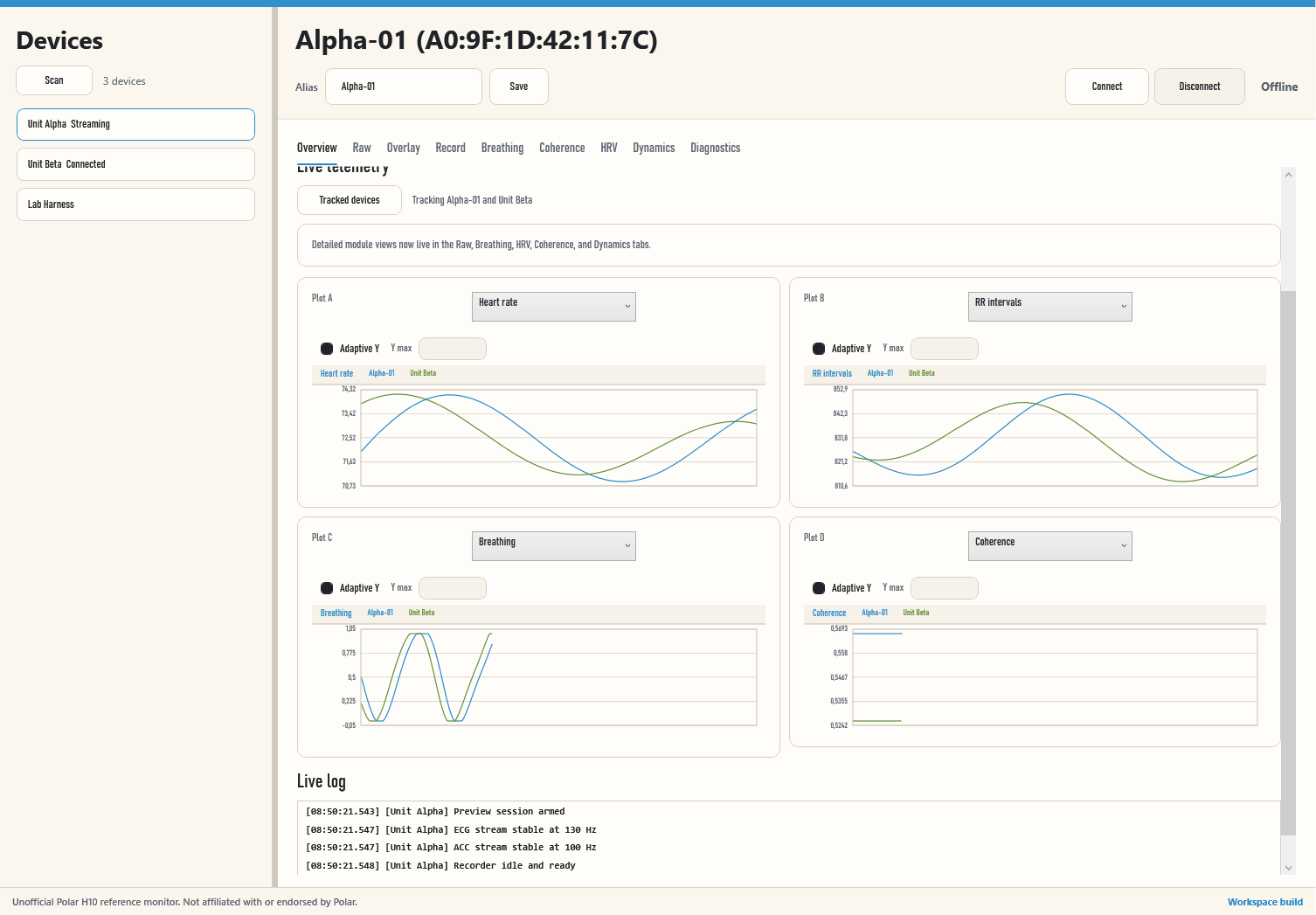
Applied Direction
- warm paper surfaces with darker control text and restrained accent color
- a flatter shell that matches the Pages site instead of a separate app theme
- simplified tab, button, and panel treatment with stronger text contrast
- light chart canvases with clearer traces for live ECG and ACC reading
- a tracked-device dropdown that can follow the selected strap or pin multiple straps into the live charts
- dedicated raw telemetry plus coherence, HRV, and breathing-dynamics tabs for focused review beyond the main shell
- per-chart legends so parallel traces stay attributable during comparison work
- an operator-first layout that stays direct without decorative dashboard chrome
Notes
- The screenshot is generated from the canonical workspace build at
out\workspace-app\PolarH10.App.exeusing the scripted preview mode intools/site/capture-wpf-preview.ps1. - This preview focuses on the main shell, device rail, tracked-device workflow, telemetry panels, and chart language; the dedicated coherence, HRV, and breathing-dynamics tabs follow the same visual system.
- The preview image intentionally shows two tracked straps in parallel because that comparison view is now a first-class feature.
- Runtime data states will populate once a device is connected.